Brand / Illustration

Illustration

Line illustration, flat and simple, with a single color accent. Includes the 4-point spark (Brand / Spark) as a brand flash, its uses and the icon rules.

Version 1.4 · Oct 20, 2026

Style

Line illustration, flat and simple, consistent with the vuesax linear icons.

Item
Rule
Detail
Stroke
1.5 px at 24 px (icon-stroke)
Scale in proportion: 3 px at 48 px, 6 px at 96 px; maximum 6 px.
Endings
Rounded
Rounded caps and joins, like vuesax.
Corners
radius-sm to radius-xl
No right angles in large shapes.
Geometry
Flat shapes
No inner gradients, textures or 3D.
Palette
Ink or white + soft fills
Ink stroke on light or white, or white on Ink; fills color-surface-subtle or color-brand-blue at 10–20%.
Accent
One per illustration
color-accent-violet or color-accent-star on less than 10% of the surface.
Action blue
Not used
color-action-default is kept for interactive elements.

The spark · Brand / Spark

4-point spark with curved sides: marks a success, something new or a “level reached”. It is different from the logo symbol and never replaces it. Sizes 16, 24, 48 and 96; tones Star and Violet (also Ink and White for one-color pieces). Star on Ink, Violet on light. At most ⅛ of the piece, and at most 2 per composition. Component: Brand / Spark (257:16719).

Spark uses

Four test uses. At most 2 sparks per piece; the logo only appears as a logo.

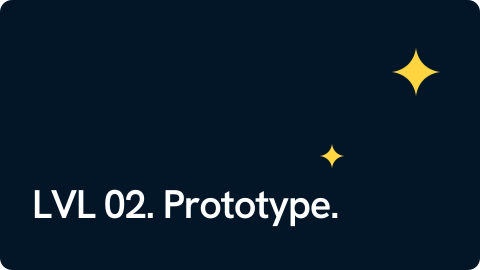
Line illustration of a computer monitor with blue text lines and two violet 4-point sparksDark 16:9 slide reading “LVL 02. Prototype.” with two yellow 4-point sparksDark square social post reading “Your app has users but nobody comes back?” with a yellow 4-point sparkDivider line with a small violet spark and a highlight reading “New: dark mode available” with a violet spark

Icons

One set only: vuesax linear at 16, 20 and 24 px with a 1.5 px stroke. The color is the one of the text it goes with. Missing ones are drawn on the same 24 px grid with the same stroke (precedent: hamburger-menu). No filled icons (bold/bulk) or icons from other sets.

Illustration or photo

Use illustration when…
Use a photo when…
Example
You need to explain an abstract idea
You need to show people, team or trust
LVL 01–04 process · team page
Empty states, errors or onboarding
Client cases and their sector
Product · cases
There is no suitable photo
Jobs and culture content
Blog · jobs
Diagrams in slides or technical blog
Service heroes with people working
Architecture · services

What to do and what to avoid

1 px + 4 px stroke + fill
Logo symbol repeated as a background ✕
3D isometry + emojis ✕